{"metadata":{"kernelspec":{"language":"python","display_name":"Python 3","name":"python3"},"language_info":{"name":"python","version":"3.11.11","mimetype":"text/x-python","codemirror_mode":{"name":"ipython","version":3},"pygments_lexer":"ipython3","nbconvert_exporter":"python","file_extension":".py"},"kaggle":{"accelerator":"gpu","dataSources":[{"sourceId":102335,"databundleVersionId":12518947,"sourceType":"competition"}],"dockerImageVersionId":31041,"isInternetEnabled":false,"language":"python","sourceType":"notebook","isGpuEnabled":true}},"nbformat_minor":4,"nbformat":4,"cells":[{"cell_type":"markdown","source":"# CMI - Detect BFRB with Sensor Data\n\n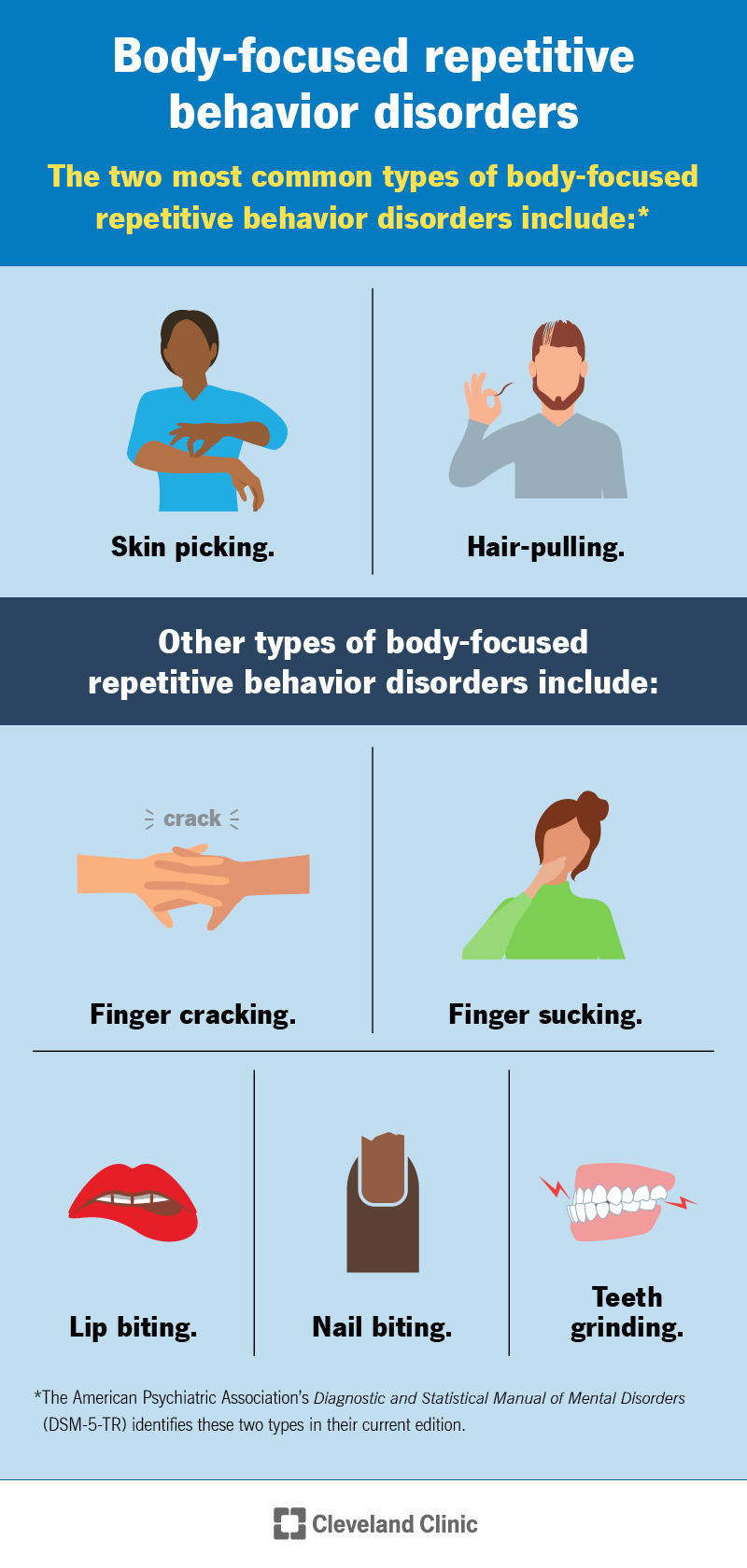\n\nSeveral studies found that between 0.5% and 4.4% of people have a clinical BFRB diagnosis. However, the rate of occurrence is actually much higher because many people don’t reach out to a healthcare provider for help with these conditions. Skin picking and hair pulling are the most common types of BFRB [5]\n\n# Objective of Competition\n\nThe CMI - Detect Behavior with Sensor Data competition aims to develop a predictive model that can distinguish BFRB-like gestures (e.g., hair pulling, skin pinching) from non-BFRB-like gestures (e.g., drinking from a cup, texting). \n\n# Real-World Impact\n1. **Improved BFRB Detection :** Enhances wearable tech to accurately identify harmful behaviors like hair-pulling or skin-picking, enabling early intervention and personalized treatment for individuals with anxiety or OCD. \n2. **Sensor Optimization :** Determines if advanced sensors (thermopiles/ToF) justify their cost, guiding cost-effective design of future devices for broader accessibility. \n3. **Mental Health Impact :** Advances tools for monitoring and managing BFRBs, reducing physical harm and improving quality of life for affected individuals through data-driven insights.\n\n# What is Exocriation (Skin picking) ?\nFor some teenagers, repetitive skin picking, often targeting the face or hands, goes beyond a mere bad habit and is recognized as a body-focused repetitive behavior related to OCD. Teens who engage in this feel an irresistible urge to pick, even when it results in scabs or permanent scarring, often driven by stress or a desire to smooth perceived imperfections (functional picking) or to self-soothe upsetting emotions (compulsive picking). This behavior can lead to significant shame and social withdrawal, sometimes even depression. Stopping skin picking is very difficult without help, and parental interventions like telling a child to stop are often ineffective. Treatment typically requires the teen's willingness to change and may involve covering affected areas, medication for underlying anxiety or depression, or cognitive behavioral therapy (CBT) to help them identify triggers and develop healthier coping mechanisms. [1]\n\nThe video below further explains skin picking [4]\n\n\n# What is Trichotillomania (Hair pulling) ?\nTrichotillomania is a compulsive hair-pulling disorder, categorized alongside OCD, where individuals pull hair from various body parts, often to alleviate discomfort, anxiety, or due to a pleasurable sensation. Those affected frequently attempt to stop but are unsuccessful, leading to significant distress, embarrassment, and potential social difficulties due to visible hair loss. The disorder manifests in two forms: automatic pulling, where individuals are often unaware of the behavior, and focused pulling, which is intentional and often done in private. Effective treatment begins with identifying a specialist familiar with trichotillomania who can determine the type and triggers of the pulling. Traditional treatment, habit reversal therapy (HRT), involves developing a \"competing response\"—a safer alternative behavior to replace hair pulling. A newer, more comprehensive approach, \"comprehensive behavioral treatment\" (ComB), integrates HRT with other therapies like dialectical behavioral therapy (DBT) and acceptance and commitment therapy (ACT) to help individuals manage emotions and stress in healthier ways, reducing the urge to pull. [2]\n\n# Gold Standard for Treating OCD\nPhD Dr. Jerry Bubrick explains **Exposure with Preventive Response** as the gold standard for treating OCD [3]\n","metadata":{}},{"cell_type":"markdown","source":"# Libraries / Packages","metadata":{}},{"cell_type":"code","source":"import numpy as np # linear algebra\nimport pandas as pd # data processing, CSV file I/O (e.g. pd.read_csv)\nfrom matplotlib import pyplot as plt\nimport seaborn as sns\nfrom matplotlib.ticker import MaxNLocator\nimport matplotlib.pyplot as plt\nfrom mpl_toolkits.mplot3d import Axes3D\nimport os\nimport polars as pl\nimport kaggle_evaluation.cmi_inference_server\nimport catboost\nfrom catboost import CatBoostClassifier\nfrom sklearn.model_selection import StratifiedKFold\nfrom sklearn.metrics import accuracy_score, f1_score","metadata":{"trusted":true,"execution":{"iopub.status.busy":"2025-07-05T07:48:33.947099Z","iopub.execute_input":"2025-07-05T07:48:33.947367Z","iopub.status.idle":"2025-07-05T07:48:36.912425Z","shell.execute_reply.started":"2025-07-05T07:48:33.947342Z","shell.execute_reply":"2025-07-05T07:48:36.911600Z"}},"outputs":[],"execution_count":null},{"cell_type":"markdown","source":"# Load Data","metadata":{}},{"cell_type":"code","source":"train_pl = pl.read_csv('/kaggle/input/cmi-detect-behavior-with-sensor-data/train.csv')\ntrain_demo_pl = pl.read_csv('/kaggle/input/cmi-detect-behavior-with-sensor-data/train_demographics.csv')\ntrain = train_pl.to_pandas()\ntrain_demo = train_demo_pl.to_pandas()","metadata":{"trusted":true,"execution":{"iopub.status.busy":"2025-07-05T07:48:36.913877Z","iopub.execute_input":"2025-07-05T07:48:36.914325Z","iopub.status.idle":"2025-07-05T07:48:48.963866Z","shell.execute_reply.started":"2025-07-05T07:48:36.914297Z","shell.execute_reply":"2025-07-05T07:48:48.963065Z"}},"outputs":[],"execution_count":null},{"cell_type":"markdown","source":"# Exploratory Data Analysis","metadata":{}},{"cell_type":"code","source":"train.head(2)","metadata":{"trusted":true,"execution":{"iopub.status.busy":"2025-07-05T07:48:48.967156Z","iopub.execute_input":"2025-07-05T07:48:48.967462Z","iopub.status.idle":"2025-07-05T07:48:49.001236Z","shell.execute_reply.started":"2025-07-05T07:48:48.967436Z","shell.execute_reply":"2025-07-05T07:48:49.000706Z"}},"outputs":[],"execution_count":null},{"cell_type":"code","source":"train.describe()","metadata":{"trusted":true,"execution":{"iopub.status.busy":"2025-07-05T07:48:49.003302Z","iopub.execute_input":"2025-07-05T07:48:49.003798Z","iopub.status.idle":"2025-07-05T07:48:55.246875Z","shell.execute_reply.started":"2025-07-05T07:48:49.003778Z","shell.execute_reply":"2025-07-05T07:48:55.246042Z"}},"outputs":[],"execution_count":null},{"cell_type":"markdown","source":"# Gesture (Target Column)","metadata":{}},{"cell_type":"code","source":"gesture_counts = train['gesture'].value_counts()\n\n# Calculate percentages\npercentages = (gesture_counts / gesture_counts.sum()) * 100\n\n# Create labels with both value counts and percentages\nlabels = [f'{label} ({count}, {perc:.1f}%)' for label, count, perc in zip(gesture_counts.index, gesture_counts.values, percentages)]\n\n# Create the pie chart\nplt.figure(figsize=(8, 8)) # Set figure size for better readability\nplt.pie(gesture_counts, labels=labels, startangle=160, counterclock=False, wedgeprops={'edgecolor': 'black'})\nplt.title('Distribution of Gestures')\nplt.axis('equal') # Equal aspect ratio ensures that pie is drawn as a circle.\nplt.show()","metadata":{"trusted":true,"execution":{"iopub.status.busy":"2025-07-05T07:48:55.247693Z","iopub.execute_input":"2025-07-05T07:48:55.248043Z","iopub.status.idle":"2025-07-05T07:48:55.590044Z","shell.execute_reply.started":"2025-07-05T07:48:55.248015Z","shell.execute_reply":"2025-07-05T07:48:55.589164Z"}},"outputs":[],"execution_count":null},{"cell_type":"markdown","source":"# Orientation","metadata":{}},{"cell_type":"code","source":"# Donut Chart\nfig, ax = plt.subplots(figsize=(8, 8))\n\n# Calculate percentages for labels (optional, can also use autopct)\norientation_counts = train[\"orientation\"].value_counts().head()\ntotal_count = orientation_counts.sum()\nlabels = [f'{label} ({count})' for label, count in orientation_counts.items()]\n\nwedges, texts, autotexts = ax.pie(\n orientation_counts,\n autopct='%1.1f%%',\n startangle=90,\n colors=plt.cm.Paired.colors,\n pctdistance=0.85, # Distance of the percentage labels from the center\n wedgeprops=dict(width=0.3, edgecolor='w'), # Create the donut hole\n labels=labels\n)\n\n# Draw a circle in the middle to make it a donut chart\ncentre_circle = plt.Circle((0,0), 0.70, fc='white')\nfig.gca().add_artist(centre_circle)\n\nax.set_title(\"Subject's orientation (Donut Chart)\")\nax.axis('equal')\nplt.show()","metadata":{"trusted":true,"execution":{"iopub.status.busy":"2025-07-05T07:48:55.590825Z","iopub.execute_input":"2025-07-05T07:48:55.591050Z","iopub.status.idle":"2025-07-05T07:48:55.744773Z","shell.execute_reply.started":"2025-07-05T07:48:55.591032Z","shell.execute_reply":"2025-07-05T07:48:55.744100Z"}},"outputs":[],"execution_count":null},{"cell_type":"code","source":"# Vertical Bar Chart\nfig, ax = plt.subplots(figsize=(8, 6))\norientation_counts.sort_values(ascending=False).plot( # Often good to sort descending for vertical bars\n kind=\"bar\", color='purple', ax=ax, title=\"Target (Vertical Bar)\"\n)\nax.set_xlabel(\"Target\")\nax.set_ylabel(\"Count\")\nplt.xticks(rotation=20, ha='right') # Rotate x-axis labels for better readability if they overlap\nplt.tight_layout() # Adjust layout to prevent labels from overlapping\nplt.show()","metadata":{"trusted":true,"execution":{"iopub.status.busy":"2025-07-05T07:48:55.745535Z","iopub.execute_input":"2025-07-05T07:48:55.745752Z","iopub.status.idle":"2025-07-05T07:48:56.044522Z","shell.execute_reply.started":"2025-07-05T07:48:55.745727Z","shell.execute_reply":"2025-07-05T07:48:56.043762Z"}},"outputs":[],"execution_count":null},{"cell_type":"markdown","source":"# Sequence Type (Target vs Non Target)","metadata":{}},{"cell_type":"code","source":"# Donut Chart\nfig, ax = plt.subplots(figsize=(8, 8))\n\n# Calculate percentages for labels (optional, can also use autopct)\nsequence_type_counts = train[\"sequence_type\"].value_counts().head()\ntotal_count = sequence_type_counts.sum()\nlabels = [f'{label} ({count})' for label, count in sequence_type_counts.items()]\n\nwedges, texts, autotexts = ax.pie(\n sequence_type_counts,\n autopct='%1.1f%%',\n startangle=90,\n colors=plt.cm.Paired.colors,\n pctdistance=0.85, # Distance of the percentage labels from the center\n wedgeprops=dict(width=0.3, edgecolor='w'), # Create the donut hole\n labels=labels\n)\n\n# Draw a circle in the middle to make it a donut chart\ncentre_circle = plt.Circle((0,0), 0.70, fc='white')\nfig.gca().add_artist(centre_circle)\n\nax.set_title(\"Target vs Non-target (Donut Chart)\")\nax.axis('equal')\nplt.show()","metadata":{"trusted":true,"execution":{"iopub.status.busy":"2025-07-05T07:48:56.045225Z","iopub.execute_input":"2025-07-05T07:48:56.045477Z","iopub.status.idle":"2025-07-05T07:48:56.183120Z","shell.execute_reply.started":"2025-07-05T07:48:56.045460Z","shell.execute_reply":"2025-07-05T07:48:56.182456Z"}},"outputs":[],"execution_count":null},{"cell_type":"code","source":"# Vertical Bar Chart\nfig, ax = plt.subplots(figsize=(8, 6))\nsequence_type_counts.sort_values(ascending=False).plot( # Often good to sort descending for vertical bars\n kind=\"bar\", color='lightgreen', ax=ax, title=\"Target vs Non Target (Vertical Bar)\"\n)\nax.set_xlabel(\"Target\")\nax.set_ylabel(\"Count\")\nplt.xticks(rotation=20, ha='right') # Rotate x-axis labels for better readability if they overlap\nplt.tight_layout() # Adjust layout to prevent labels from overlapping\nplt.show()","metadata":{"trusted":true,"execution":{"iopub.status.busy":"2025-07-05T07:48:56.184014Z","iopub.execute_input":"2025-07-05T07:48:56.184205Z","iopub.status.idle":"2025-07-05T07:48:56.337907Z","shell.execute_reply.started":"2025-07-05T07:48:56.184189Z","shell.execute_reply":"2025-07-05T07:48:56.337223Z"}},"outputs":[],"execution_count":null},{"cell_type":"markdown","source":"# Behavior","metadata":{}},{"cell_type":"code","source":"# Donut Chart\nfig, ax = plt.subplots(figsize=(8, 8))\n\n# Calculate percentages for labels (optional, can also use autopct)\nbehavior_counts = train[\"behavior\"].value_counts().head()\ntotal_count = behavior_counts.sum()\nlabels = [f'{label} ({count})' for label, count in behavior_counts.items()]\n\nwedges, texts, autotexts = ax.pie(\n behavior_counts,\n autopct='%1.1f%%',\n startangle=90,\n colors=plt.cm.Paired.colors,\n pctdistance=0.85, # Distance of the percentage labels from the center\n wedgeprops=dict(width=0.3, edgecolor='w'), # Create the donut hole\n labels=labels\n)\n\n# Draw a circle in the middle to make it a donut chart\ncentre_circle = plt.Circle((0,0), 0.70, fc='white')\nfig.gca().add_artist(centre_circle)\n\nax.set_title(\"Subject's Behavior During the Sequence (Donut Chart)\")\nax.axis('equal')\nplt.show()","metadata":{"trusted":true,"execution":{"iopub.status.busy":"2025-07-05T07:48:56.338662Z","iopub.execute_input":"2025-07-05T07:48:56.338892Z","iopub.status.idle":"2025-07-05T07:48:56.500993Z","shell.execute_reply.started":"2025-07-05T07:48:56.338866Z","shell.execute_reply":"2025-07-05T07:48:56.500299Z"}},"outputs":[],"execution_count":null},{"cell_type":"code","source":"# Vertical Bar Chart\nfig, ax = plt.subplots(figsize=(8, 6))\nbehavior_counts.sort_values(ascending=False).plot( # Often good to sort descending for vertical bars\n kind=\"bar\", color='skyblue', ax=ax, title=\"Subject's Behavior During the Sequence (Vertical Bar)\"\n)\nax.set_xlabel(\"Behavior\")\nax.set_ylabel(\"Count\")\nplt.xticks(rotation=20, ha='right') # Rotate x-axis labels for better readability if they overlap\nplt.tight_layout() # Adjust layout to prevent labels from overlapping\nplt.show()","metadata":{"trusted":true,"execution":{"iopub.status.busy":"2025-07-05T07:48:56.501923Z","iopub.execute_input":"2025-07-05T07:48:56.502208Z","iopub.status.idle":"2025-07-05T07:48:56.659994Z","shell.execute_reply.started":"2025-07-05T07:48:56.502184Z","shell.execute_reply":"2025-07-05T07:48:56.659217Z"}},"outputs":[],"execution_count":null},{"cell_type":"markdown","source":"# Demographics Correlation Matrix\nCorrelation heatmap for training data","metadata":{}},{"cell_type":"code","source":"# correlation matrix\nplt.figure(figsize = (8, 4))\nsns.heatmap(data = train_demo.corr(numeric_only = True), linewidth = 0.5, annot = True, linecolor = \"black\")\nplt.title('Train Data Demographic Correlation Heatmap')\nplt.show()","metadata":{"trusted":true,"execution":{"iopub.status.busy":"2025-07-05T07:48:56.660795Z","iopub.execute_input":"2025-07-05T07:48:56.661122Z","iopub.status.idle":"2025-07-05T07:48:56.937065Z","shell.execute_reply.started":"2025-07-05T07:48:56.661098Z","shell.execute_reply":"2025-07-05T07:48:56.936299Z"}},"outputs":[],"execution_count":null},{"cell_type":"markdown","source":"# Gender Distribution","metadata":{}},{"cell_type":"code","source":"# Get value counts for gender\nvc = train_demo['sex'].value_counts()\n\n# Extract counts (assuming 'count' column doesn't exist)\ncounts = vc.values\n\n# Create labels (assuming 'count' column doesn't exist)\nlabels = ['Male', 'Female'] # Assuming 'Male' maps to '1' and 'Female' to '0'\n\n# Plot the pie chart\nplt.pie(counts, labels=labels, autopct=\"%1.1f%%\") # Add percentages to pie slices\nplt.title('Gender')\nplt.show()","metadata":{"trusted":true,"execution":{"iopub.status.busy":"2025-07-05T07:48:56.939860Z","iopub.execute_input":"2025-07-05T07:48:56.940127Z","iopub.status.idle":"2025-07-05T07:48:57.011557Z","shell.execute_reply.started":"2025-07-05T07:48:56.940109Z","shell.execute_reply":"2025-07-05T07:48:57.010998Z"}},"outputs":[],"execution_count":null},{"cell_type":"markdown","source":"# Age Distribution with respect to Gender","metadata":{}},{"cell_type":"code","source":"#'train' is DataFrame\n_, axs = plt.subplots(2, 1, sharex=True)\n\nfor sex in range(2):\n ax = axs.ravel()[sex]\n\n # Filter by sex using boolean indexing\n sex_filter = train_demo['sex'] == sex\n vc = train_demo[sex_filter]['age'].value_counts() # Access column after filtering\n\n # Plot the bar chart\n ax.bar(vc.index, vc.values, color=['lightblue', 'coral'][sex], label=['Male', 'Female'][sex])\n ax.xaxis.set_major_locator(MaxNLocator(integer=True))\n ax.set_ylabel('count')\n ax.legend()\n\nplt.suptitle('Age distribution with respect to Gender')\naxs.ravel()[1].set_xlabel('years')\nplt.show()","metadata":{"trusted":true,"execution":{"iopub.status.busy":"2025-07-05T07:48:57.012099Z","iopub.execute_input":"2025-07-05T07:48:57.012364Z","iopub.status.idle":"2025-07-05T07:48:57.291031Z","shell.execute_reply.started":"2025-07-05T07:48:57.012346Z","shell.execute_reply":"2025-07-05T07:48:57.290283Z"}},"outputs":[],"execution_count":null},{"cell_type":"markdown","source":"# Linear Acceleration from IMU Sensor\nMeasure linear acceleration along three axes in meters per second squared from the IMU sensor.","metadata":{}},{"cell_type":"code","source":"\n# Initialize the 3D plot\nfig = plt.figure(figsize=(10, 10)) # Adjust figure size for better visibility\nax = fig.add_subplot(111, projection='3d')\n\n# Get unique values from the 'gesture' column for coloring\nunique_gestures = train['gesture'].unique()\n\n# Use a colormap to get distinct colors for each gesture type\n# matplotlib.colormaps is the recommended way to access colormaps now\ncolors = plt.colormaps['tab10'].resampled(len(unique_gestures)) # 'tab10' is good for categorical data\n\n# Iterate through unique gestures and plot them with different colors\nfor i, gesture_type in enumerate(unique_gestures):\n subset = train[train['gesture'] == gesture_type]\n ax.scatter(subset['acc_x'], subset['acc_y'], subset['acc_z'],\n color=colors(i), # Assign a unique color from the colormap\n label=gesture_type, # Label for the legend\n alpha=0.7, # Opacity (matches your Plotly opacity)\n s=2,\n rasterized=True) # Size of points (similar to Plotly's size_max=1, adjusted for visibility)\n\n# Set labels and title\nax.set_xlabel('acc_x', fontsize=14)\nax.set_ylabel('acc_y', fontsize=14)\nax.set_zlabel('acc_z', fontsize=14)\nax.set_title('Linear acceleration along X, Y, Z axes', fontsize=16)\n\n# Add a legend to differentiate 'gesture' types\nax.legend(title='Gesture Type', fontsize=10, title_fontsize=12, loc='upper right')\n\n# Set tick label font size\nax.tick_params(axis='both', which='major', labelsize=12)\n\n# --- Mimic Plotly's 'plotly_dark' template ---\n# Set the background color of the plot\nax.set_facecolor('black')\n\n# Make the pane background transparent\nax.xaxis.pane.fill = False\nax.yaxis.pane.fill = False\nax.zaxis.pane.fill = False\n\n# Set the pane edge colors\nax.xaxis.pane.edgecolor = 'grey'\nax.yaxis.pane.edgecolor = 'grey'\nax.zaxis.pane.edgecolor = 'grey'\n\n# Set the actual pane face colors to transparent\nax.xaxis.pane.set_facecolor((0.0, 0.0, 0.0, 0.0))\nax.yaxis.pane.set_facecolor((0.0, 0.0, 0.0, 0.0))\nax.zaxis.pane.set_facecolor((0.0, 0.0, 0.0, 0.0))\n\n# Set grid lines color\nax.grid(color='gray', linestyle='--', linewidth=0.5, alpha=0.5)\n\nplt.tight_layout() # Adjust layout to prevent labels from overlapping\nplt.show()\n","metadata":{"trusted":true,"execution":{"iopub.status.busy":"2025-07-05T07:48:57.291883Z","iopub.execute_input":"2025-07-05T07:48:57.292512Z","iopub.status.idle":"2025-07-05T07:49:05.694052Z","shell.execute_reply.started":"2025-07-05T07:48:57.292482Z","shell.execute_reply":"2025-07-05T07:49:05.693425Z"}},"outputs":[],"execution_count":null},{"cell_type":"markdown","source":"3D Scatter plot shows linear accelartion along x, y and z axes. Color acts as the fourth dimension and differenciates different points based on the target column i.e gesture. ","metadata":{}},{"cell_type":"code","source":"# Initialize the 3D plot\nfig = plt.figure(figsize=(10, 10)) # Adjust figure size for better visibility\nax = fig.add_subplot(111, projection='3d')\n\n# Get unique values from 'sequence_type' for coloring\nunique_sequence_types = train['sequence_type'].unique()\n\n# --- ADDRESSING DEPRECATION WARNING 1: get_cmap ---\n# Use matplotlib.colormaps[name] instead of plt.cm.get_cmap(name)\ncolors = plt.colormaps['viridis'].resampled(len(unique_sequence_types))\n\n# Iterate through unique sequence types and plot them with different colors\nfor i, seq_type in enumerate(unique_sequence_types):\n subset = train[train['sequence_type'] == seq_type]\n ax.scatter(subset['acc_x'], subset['acc_y'], subset['acc_z'],\n color=colors(i), # Assign a unique color\n label=seq_type, # Label for the legend\n alpha=0.7, # Opacity\n s=10) # Size of points (similar to Plotly's size_max)\n\n# Set labels and title\nax.set_xlabel('acc_x', fontsize=14)\nax.set_ylabel('acc_y', fontsize=14)\nax.set_zlabel('acc_z', fontsize=14)\nax.set_title('Linear acceleration along X, Y, Z axes', fontsize=16)\n\n# Add a legend to differentiate 'sequence_type'\nax.legend(title='Sequence Type', fontsize=12, title_fontsize=14)\n\n# Set tick label font size\nax.tick_params(axis='both', which='major', labelsize=12)\n\n# Set background color to dark and adjust grid/pane colors\nax.set_facecolor('black')\n\n# --- ADDRESSING DEPRECATION WARNINGS 2, 3, 4: w_xaxis, w_yaxis, w_zaxis ---\n# Use .xaxis, .yaxis, .zaxis directly for panes\nax.xaxis.pane.fill = False\nax.yaxis.pane.fill = False\nax.zaxis.pane.fill = False\n\nax.xaxis.pane.edgecolor = 'grey'\nax.yaxis.pane.edgecolor = 'grey'\nax.zaxis.pane.edgecolor = 'grey'\n\n# Set pane colors to transparent for a truly dark effect\n# These are now accessed directly through .xaxis.pane.set_facecolor\nax.xaxis.pane.set_facecolor((0.0, 0.0, 0.0, 0.0))\nax.yaxis.pane.set_facecolor((0.0, 0.0, 0.0, 0.0))\nax.zaxis.pane.set_facecolor((0.0, 0.0, 0.0, 0.0))\n\nax.grid(color='gray', linestyle='--', linewidth=0.5, alpha=0.5)\n\nplt.tight_layout() # Adjust layout to prevent labels from overlapping\nplt.show()\n","metadata":{"trusted":true,"execution":{"iopub.status.busy":"2025-07-05T07:49:05.694898Z","iopub.execute_input":"2025-07-05T07:49:05.695168Z","iopub.status.idle":"2025-07-05T07:49:16.505789Z","shell.execute_reply.started":"2025-07-05T07:49:05.695141Z","shell.execute_reply":"2025-07-05T07:49:16.505032Z"}},"outputs":[],"execution_count":null},{"cell_type":"markdown","source":"3D Scatter plot shows linear accelartion along x, y and z axes. Color acts as the fourth dimension and differenciates points based on sequence_type column i.e target and non-target. ","metadata":{}},{"cell_type":"markdown","source":"# Rotation of Gyroscope from IMU Sensor","metadata":{}},{"cell_type":"code","source":"fig = plt.figure(figsize=(14, 8)) # Adjust figure size as needed\nax = fig.add_subplot(111, projection='3d')\n\n# Plot the 3D line\n# For color, matplotlib's plot3D doesn't directly support a continuous 'color'\n# argument like px.line_3d. You'd typically use a colormap and map 'rot_w' to it.\n# This example uses a simple line color. For continuous color, you'd need\n# to segment your data or use scatter3D with c=train['rot_w'].\n# ax.plot(train['rot_x'], train['rot_y'], train['rot_z'], color='skyblue', linewidth=0.5)\n\n# If you want to color by 'rot_w' with a gradient, it's often better to use scatter3D\n# if a continuous line isn't strictly necessary, or segment the line.\n# For a true line plot with continuous color, it's more complex in matplotlib.\n# Example for scatter3D with color:\nsc = ax.scatter(train['rot_x'], train['rot_y'], train['rot_z'], c=train['rot_w'], cmap='viridis', s=1)\nfig.colorbar(sc, ax=ax, label='rot_w')\n\n\nax.set_xlabel('rot_x')\nax.set_ylabel('rot_y')\nax.set_zlabel('rot_z')\nax.set_title('3D Path of Gyroscope Rotation Over Time')\n\n# Adjust font sizes if needed (similar to update_layout in Plotly)\nax.tick_params(axis='both', which='major', labelsize=12)\nax.xaxis.label.set_size(14)\nax.yaxis.label.set_size(14)\nax.zaxis.label.set_size(14)\nax.title.set_size(16)\n\nplt.show()","metadata":{"trusted":true,"execution":{"iopub.status.busy":"2025-07-05T07:49:16.506683Z","iopub.execute_input":"2025-07-05T07:49:16.506902Z","iopub.status.idle":"2025-07-05T07:49:23.110409Z","shell.execute_reply.started":"2025-07-05T07:49:16.506884Z","shell.execute_reply":"2025-07-05T07:49:23.109676Z"}},"outputs":[],"execution_count":null},{"cell_type":"markdown","source":"# Temperature from Thermopile of IMU Sensors ","metadata":{}},{"cell_type":"code","source":"# Melt the DataFrame for easier plotting\ndf_melted = train.melt(id_vars='sequence_type', \n value_vars=['thm_1', 'thm_2', 'thm_3', 'thm_4', 'thm_5'],\n var_name='sensor', \n value_name='temperature')\n\n# Plot\nplt.figure(figsize=(10, 6))\nsns.boxplot(x='sequence_type', y='temperature', hue='sensor', data=df_melted)\nplt.title('Thermopile Sensor Readings by Sequence Type')\nplt.xlabel('Sequence Type')\nplt.ylabel('Temperature (°C)')\nplt.legend(title='Sensor')\nplt.xticks(rotation=45)\nplt.tight_layout()\nplt.show()","metadata":{"trusted":true,"execution":{"iopub.status.busy":"2025-07-05T07:49:23.111195Z","iopub.execute_input":"2025-07-05T07:49:23.111477Z","iopub.status.idle":"2025-07-05T07:49:26.240087Z","shell.execute_reply.started":"2025-07-05T07:49:23.111449Z","shell.execute_reply":"2025-07-05T07:49:26.239327Z"}},"outputs":[],"execution_count":null},{"cell_type":"code","source":"# Group by sequence_type and get mean values\ndf_grouped = train.groupby('sequence_type')[['thm_1','thm_2','thm_3','thm_4','thm_5']].mean()\n\ncategories = ['thm_1', 'thm_2', 'thm_3', 'thm_4', 'thm_5']\nN = len(categories)\n\nangles = [n / float(N) * 2 * np.pi for n in range(N)]\nangles += angles[:1] # Close the loop\n\nfig, ax = plt.subplots(figsize=(6, 6), subplot_kw=dict(polar=True))\n\nfor idx, row in df_grouped.iterrows():\n values = row.values.tolist()\n values += values[:1] # Close the loop\n ax.plot(angles, values, marker='o', label=idx)\n ax.fill(angles, values, alpha=0.1)\n\nax.set_xticks(angles[:-1])\nax.set_xticklabels(categories)\nplt.legend(title=\"Sequence Type\")\nplt.title(\"Radar Chart of Average Thermopile Readings by Sequence Type\")\nplt.show()","metadata":{"trusted":true,"execution":{"iopub.status.busy":"2025-07-05T07:49:26.240949Z","iopub.execute_input":"2025-07-05T07:49:26.241631Z","iopub.status.idle":"2025-07-05T07:49:26.540505Z","shell.execute_reply.started":"2025-07-05T07:49:26.241610Z","shell.execute_reply":"2025-07-05T07:49:26.539675Z"}},"outputs":[],"execution_count":null},{"cell_type":"markdown","source":"By analyzing the Boxplot and Radar Chart above we can say that temperature for target is slightly higher than non-target.\nNext lets see box plot of thermopile values against column gesture and column behavior.","metadata":{}},{"cell_type":"code","source":"# Melt the DataFrame for easier plotting\ndf_melted = train.melt(id_vars='gesture', \n value_vars=['thm_1', 'thm_2', 'thm_3', 'thm_4', 'thm_5'],\n var_name='sensor', \n value_name='temperature')\n\n# Plot\nplt.figure(figsize=(10, 6))\nsns.boxplot(x='gesture', y='temperature', hue='sensor', data=df_melted)\nplt.title('Thermopile Sensor Readings by Gesture')\nplt.xlabel('Gesture')\nplt.ylabel('Temperature (°C)')\nplt.legend(title='Sensor')\nplt.xticks(rotation=90)\nplt.tight_layout()\nplt.show()","metadata":{"trusted":true,"execution":{"iopub.status.busy":"2025-07-05T07:49:26.541361Z","iopub.execute_input":"2025-07-05T07:49:26.541676Z","iopub.status.idle":"2025-07-05T07:49:31.630606Z","shell.execute_reply.started":"2025-07-05T07:49:26.541646Z","shell.execute_reply":"2025-07-05T07:49:31.629904Z"}},"outputs":[],"execution_count":null},{"cell_type":"code","source":"# Melt the DataFrame for easier plotting\ndf_melted = train.melt(id_vars='behavior', \n value_vars=['thm_1', 'thm_2', 'thm_3', 'thm_4', 'thm_5'],\n var_name='sensor', \n value_name='temperature')\n\n# Plot\nplt.figure(figsize=(10, 6))\nsns.boxplot(x='behavior', y='temperature', hue='sensor', data=df_melted)\nplt.title('Thermopile Sensor Readings by Behavior')\nplt.xlabel('Behavior')\nplt.ylabel('Temperature (°C)')\nplt.legend(title='Sensor')\nplt.xticks(rotation=25)\nplt.tight_layout()\nplt.show()","metadata":{"trusted":true,"execution":{"iopub.status.busy":"2025-07-05T07:49:31.631511Z","iopub.execute_input":"2025-07-05T07:49:31.631986Z","iopub.status.idle":"2025-07-05T07:49:35.009008Z","shell.execute_reply.started":"2025-07-05T07:49:31.631948Z","shell.execute_reply":"2025-07-05T07:49:35.008191Z"}},"outputs":[],"execution_count":null},{"cell_type":"markdown","source":"# Null Percentage","metadata":{}},{"cell_type":"code","source":"def null_percent(df):\n per=((df.isnull().sum()/len(df))*100).round(2)\n return per[per>0]\n\nprint(\"Nan Values in Train data\")\nprint(null_percent(train))","metadata":{"trusted":true,"execution":{"iopub.status.busy":"2025-07-05T07:49:35.009918Z","iopub.execute_input":"2025-07-05T07:49:35.010171Z","iopub.status.idle":"2025-07-05T07:49:35.776934Z","shell.execute_reply.started":"2025-07-05T07:49:35.010144Z","shell.execute_reply":"2025-07-05T07:49:35.776298Z"}},"outputs":[],"execution_count":null},{"cell_type":"markdown","source":"# Feature Engineering","metadata":{}},{"cell_type":"code","source":"print(train_pl.shape)\n\n# Drop these columns from training data\ntrain = train_pl.drop(['phase', 'orientation', 'behavior', 'sequence_type'])\nprint(train.shape)\n\ndata = train.join(train_demo_pl,on=\"subject\",how=\"left\")\nprint(data.shape)","metadata":{"trusted":true,"execution":{"iopub.status.busy":"2025-07-05T07:49:35.777692Z","iopub.execute_input":"2025-07-05T07:49:35.777951Z","iopub.status.idle":"2025-07-05T07:49:35.854375Z","shell.execute_reply.started":"2025-07-05T07:49:35.777926Z","shell.execute_reply":"2025-07-05T07:49:35.853682Z"}},"outputs":[],"execution_count":null},{"cell_type":"code","source":"train.head(2)","metadata":{"trusted":true,"execution":{"iopub.status.busy":"2025-07-05T07:49:35.855143Z","iopub.execute_input":"2025-07-05T07:49:35.855392Z","iopub.status.idle":"2025-07-05T07:49:35.868629Z","shell.execute_reply.started":"2025-07-05T07:49:35.855364Z","shell.execute_reply":"2025-07-05T07:49:35.867991Z"}},"outputs":[],"execution_count":null},{"cell_type":"code","source":"def feature_engineering(data:pl.DataFrame, non_sensor_cols: list):\n \n # All numeric sensor columns (everything except id, demo, target)\n stat_cols = [\n c for c in data.columns\n if c not in non_sensor_cols + [\"sequence_id\", \"row_id\",\"sequence_counter\",\"subject\"]\n ]\n \n # Build aggregation expressions\n agg_exprs = []\n \n # full-stats bundle for sensor columns\n for c in stat_cols:\n agg_exprs += [\n pl.col(c).mean().alias(f\"{c}_mean\"),\n pl.col(c).std().alias(f\"{c}_std\"),\n pl.col(c).var().alias(f\"{c}_var\"),\n # pl.col(c).mode().list.first().alias(f\"{c}_mode\"),\n pl.col(c).quantile(0.25).alias(f\"{c}_q25\"),\n pl.col(c).median().alias(f\"{c}_q50\"),\n pl.col(c).quantile(0.75).alias(f\"{c}_q75\"),\n pl.col(c).max().alias(f\"{c}_max\"),\n pl.col(c).min().alias(f\"{c}_min\"),\n pl.col(c).first().alias(f\"{c}_first\"),\n pl.col(c).last().alias(f\"{c}_last\"),\n pl.col(c).quantile(0.25, \"nearest\").alias(f\"{c}_t25\"),\n pl.col(c).quantile(0.75, \"nearest\").alias(f\"{c}_t75\"),\n (pl.col(c).last() - pl.col(c).first()).alias(f\"{c}_delta\"),\n pl.corr(\"sequence_counter\", c).alias(f\"{c}_corr_time\"),\n pl.col(c).diff().mean().alias(f\"{c}_diff_mean\"),\n pl.col(c).diff().std().alias(f\"{c}_diff_std\"),\n pl.col(c).skew().alias(f\"{c}_skew\"),\n pl.col(c).kurtosis().alias(f\"{c}_kurt\"),\n pl.col(c).diff().abs().gt(0).sum().alias(f\"{c}_n_changes\")\n ]\n agg_exprs += [\n pl.when(pl.col(\"sequence_counter\") < 0.1 * pl.max(\"sequence_counter\"))\n .then(pl.col(c)).otherwise(None).mean().alias(f\"{c}_seg1_mean\"),\n pl.when(pl.col(\"sequence_counter\") > 0.9 * pl.max(\"sequence_counter\"))\n .then(pl.col(c)).otherwise(None).mean().alias(f\"{c}_seg3_mean\"),\n ]\n \n # first() for demographics and target\n agg_exprs += [\n pl.col(c).first().alias(c) for c in non_sensor_cols\n ]\n \n # Group-by and aggregate\n cleaned_data = (\n data\n .group_by(\"sequence_id\", maintain_order=True)\n .agg(agg_exprs)\n )\n return cleaned_data\n","metadata":{"trusted":true,"execution":{"iopub.status.busy":"2025-07-05T07:49:35.869273Z","iopub.execute_input":"2025-07-05T07:49:35.869472Z","iopub.status.idle":"2025-07-05T07:49:35.879469Z","shell.execute_reply.started":"2025-07-05T07:49:35.869453Z","shell.execute_reply":"2025-07-05T07:49:35.878719Z"}},"outputs":[],"execution_count":null},{"cell_type":"code","source":"train_demographic_target_cols = [\n \"adult_child\", \"age\", \"sex\", \"handedness\", \"height_cm\", \"shoulder_to_wrist_cm\", \"elbow_to_wrist_cm\", \"gesture\"\n ]\ncleaned_data = feature_engineering(data,train_demographic_target_cols)\ncleaned_data.shape","metadata":{"trusted":true,"execution":{"iopub.status.busy":"2025-07-05T07:49:35.880145Z","iopub.execute_input":"2025-07-05T07:49:35.880404Z","iopub.status.idle":"2025-07-05T07:50:08.901657Z","shell.execute_reply.started":"2025-07-05T07:49:35.880378Z","shell.execute_reply":"2025-07-05T07:50:08.900929Z"}},"outputs":[],"execution_count":null},{"cell_type":"markdown","source":"# CatBoost Classifier","metadata":{}},{"cell_type":"code","source":"# Assume cleaned_data is already a Polars DataFrame\ntarget_col = \"gesture\"\n\n# --- Convert Polars DataFrame to Pandas only if needed ---\n# CatBoost does not yet fully support Polars directly\ndf = cleaned_data.to_pandas()\n\n# --- Define X and y properly ---\nX = df.drop(columns=[target_col, \"sequence_id\"]) # Feature matrix\ny = df[target_col].values # Target\n\n# Encode target if needed\nfrom sklearn.preprocessing import LabelEncoder\nle = LabelEncoder()\ny = le.fit_transform(y)\n\n# Set up stratified KFold\nkfold = StratifiedKFold(n_splits=5, shuffle=True, random_state=42)\n\nfold_acc, fold_f1 = [], []\n\nfor fold, (train_idx, val_idx) in enumerate(kfold.split(X, y), start=1):\n X_train, X_val = X.iloc[train_idx], X.iloc[val_idx]\n y_train, y_val = y[train_idx], y[val_idx]\n\n final_model = CatBoostClassifier(\n iterations=400,\n learning_rate=0.1,\n loss_function='MultiClass',\n task_type=\"GPU\",\n devices='0',\n verbose=False\n )\n\n final_model.fit(X_train, y_train, eval_set=(X_val, y_val))\n y_pred = final_model.predict(X_val).ravel()\n\n acc = accuracy_score(y_val, y_pred)\n f1 = f1_score(y_val, y_pred, average=\"macro\")\n\n fold_acc.append(acc)\n fold_f1.append(f1)\n print(f\"Fold {fold}: Accuracy={acc:.4f}, Macro-F1={f1:.4f}\")\n\nprint(\"\\n====== 5-Fold Summary ======\")\nprint(f\"Accuracy: mean={np.mean(fold_acc):.4f} std={np.std(fold_acc):.4f}\")\nprint(f\"Macro-F1 : mean={np.mean(fold_f1):.4f} std={np.std(fold_f1):.4f}\")","metadata":{"trusted":true,"execution":{"iopub.status.busy":"2025-07-05T07:50:08.902449Z","iopub.execute_input":"2025-07-05T07:50:08.902635Z","iopub.status.idle":"2025-07-05T07:57:31.065000Z","shell.execute_reply.started":"2025-07-05T07:50:08.902621Z","shell.execute_reply":"2025-07-05T07:57:31.064330Z"}},"outputs":[],"execution_count":null},{"cell_type":"markdown","source":"# Predict","metadata":{}},{"cell_type":"code","source":"def predict(sequence: pl.DataFrame, demographics: pl.DataFrame) -> str:\n data = sequence.join(demographics,on=\"subject\",how=\"left\")\n test_demographic_cols = [\n \"adult_child\", \"age\", \"sex\", \"handedness\", \"height_cm\", \"shoulder_to_wrist_cm\", \"elbow_to_wrist_cm\"\n ]\n cleaned_data = feature_engineering(data, test_demographic_cols)\n pdf = cleaned_data.to_pandas().drop(columns=[\"sequence_id\"])\n predictions = final_model.predict(pdf).ravel()\n predictions = le.inverse_transform(predictions)\n return predictions[0]","metadata":{"trusted":true,"execution":{"iopub.status.busy":"2025-07-05T07:57:31.065869Z","iopub.execute_input":"2025-07-05T07:57:31.066194Z","iopub.status.idle":"2025-07-05T07:57:31.072393Z","shell.execute_reply.started":"2025-07-05T07:57:31.066173Z","shell.execute_reply":"2025-07-05T07:57:31.071629Z"}},"outputs":[],"execution_count":null},{"cell_type":"markdown","source":"# Inference Server","metadata":{}},{"cell_type":"code","source":"inference_server = kaggle_evaluation.cmi_inference_server.CMIInferenceServer(predict)\n\nif os.getenv('KAGGLE_IS_COMPETITION_RERUN'):\n inference_server.serve()\nelse:\n inference_server.run_local_gateway(\n data_paths=(\n '/kaggle/input/cmi-detect-behavior-with-sensor-data/test.csv',\n '/kaggle/input/cmi-detect-behavior-with-sensor-data/test_demographics.csv',\n )\n )","metadata":{"trusted":true,"execution":{"iopub.status.busy":"2025-07-05T07:57:31.073122Z","iopub.execute_input":"2025-07-05T07:57:31.073384Z","iopub.status.idle":"2025-07-05T07:57:33.206460Z","shell.execute_reply.started":"2025-07-05T07:57:31.073362Z","shell.execute_reply":"2025-07-05T07:57:33.205652Z"}},"outputs":[],"execution_count":null},{"cell_type":"markdown","source":"# References\n1. Garey, J. (2025). What Is Excoriation, or Skin-Picking? Child Mind Institute. https://childmind.org/article/excoriation-or-skin-picking/\n2. Martinelli, K. (2025). What is Trichotillomania? Child Mind Institute. https://childmind.org/article/what-is-trichotillomania/\n3. https://www.youtube.com/watch?v=ml9ViuZ5j3w\n4. https://www.youtube.com/watch?v=o7bx3eVh4DE\n5. https://my.clevelandclinic.org/health/diseases/body-focused-repetitive-behavior-bfrb\n\n\n# In Progress\nThis notebook is in progress and more will be added to it soon.","metadata":{}}]}